
 Resume
Intuitive menus & enhancements
Intuitive menus & enhancements
Intuitive menus & enhancements
Apr 2025
-
Oct 2025
Lead Designer



Me, Hashir, Khadija & Zohaib
In a nutshell
In a nutshell
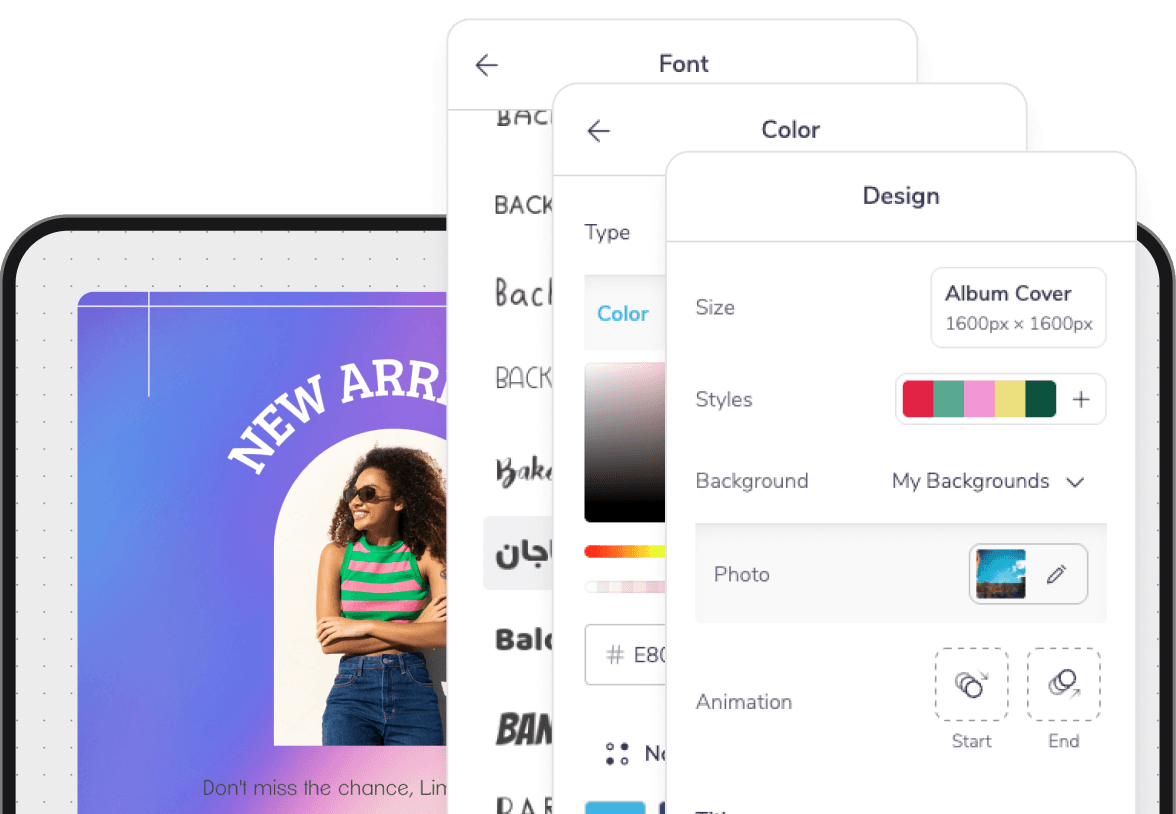
The design editor is the core of our platform, relied on by ~10M monthly active users. Yet its key menus have long been a bottleneck. Styling and editing are slowed down by confusing layouts and low discoverability, while downloading and publishing lack clarity.
We have executed a deep, focused UX overhaul to resolve these issues. The highly positive beta feedback signals we are successfully turning this historic friction into seamless flow.
A deeper look
A deeper look

Table of contents
Table of contents
Table of contents
📱
Context
Context
Context
Users, Design Editor & Opportunity Areas
🦅
Solutions
Solutions
Solutions
Iterations, Testing & Final Designs
🌳
Outcome
Outcome
Outcome
Overall Impact & Incremental Launch
Context
Users, Design Editor & Opportuny Areas
Users, Design Editor & Opportuny Areas
Who is using PosterMyWall?
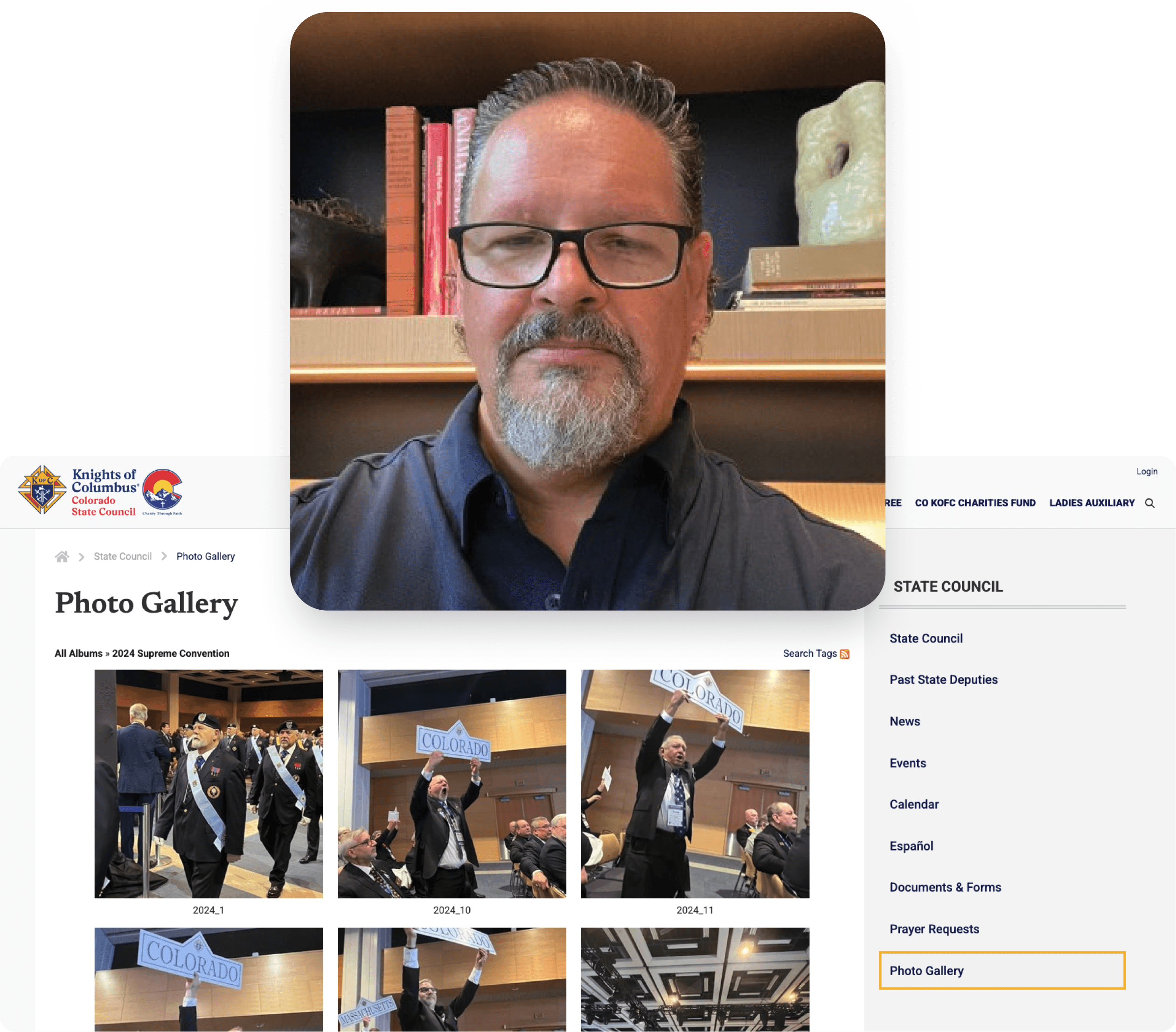
Small business owners (primarily), non-profits, agencies, musicians and then some - Let’s take Clark Musser, a District Deputy Coordinator for the Knights of Columbus in Colorado. He oversees 41 deputies and handles all social media design. “I live in the editor,” he says. “Sundays are my setup time to prep everything for the week. The design part just clicks for me.”
While he loves the intuitive editor for templates and brand kits, his workflow on desktop is sometimes slowed by lagging menus or missing options. Even so, it remains his essential tool for creating professional graphics that align perfectly with the trusted brand of the Knights of Columbus.
Clark has given consent to be featured in case studies & promotional content.
Opportunity areas in the design editor
The desktop editor suffers from jarring usability issues that hide essential options and make editing slow. Workflow is constantly disrupted by intrusive modal windows for basic tasks. Key styling and organizational tools are buried or inefficient, while on-canvas controls remain cumbersome. This creates a disjointed and frustrating experience that hinders the design process.
Solutions
Iterations, Testing & Final Designs
Iterations, Testing & Final Designs
Given all these foundational constraints, the updates focus majorly on five key areas: menu optimization, styling experience, canvas editing, publishing & misc. workflow improvements.
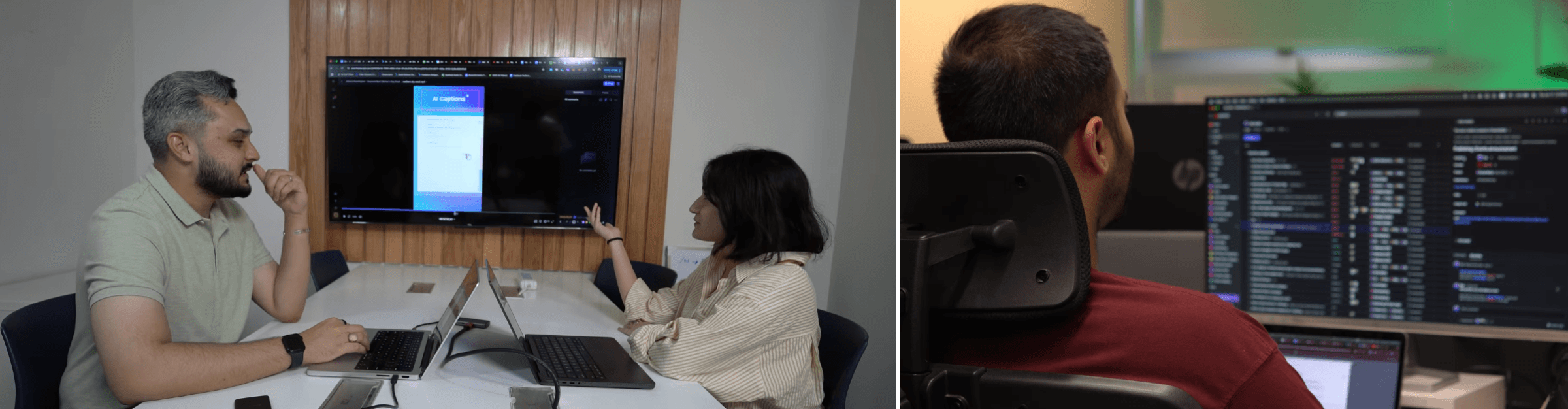
Each iteration has been critiqued based on UX principles, emotional feel, and thorough testing with small biz owners, educators, non-profits & marketing agencies to define a preferred direction.
Contextual Menu Optimization
Contextual Menu Optimization
We have enhanced the editor with organized menus based on usage. Interaction is now more intuitive through in-place editing, improved feedback, and streamlined style application. Essential controls are surfaced clearly, reducing clicks and simplifying the workflow.
Colors, Fonts, Styles & Animations
Colors, Fonts, Styles & Animations
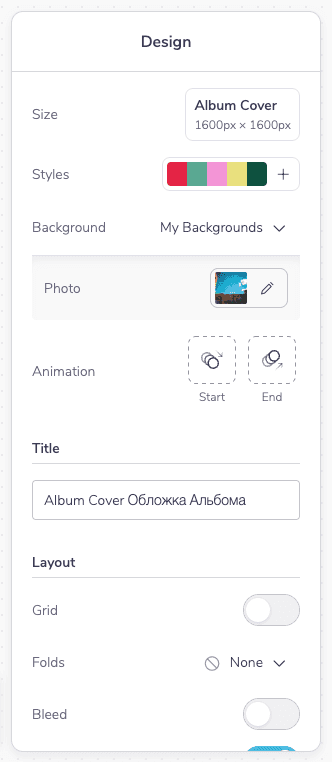
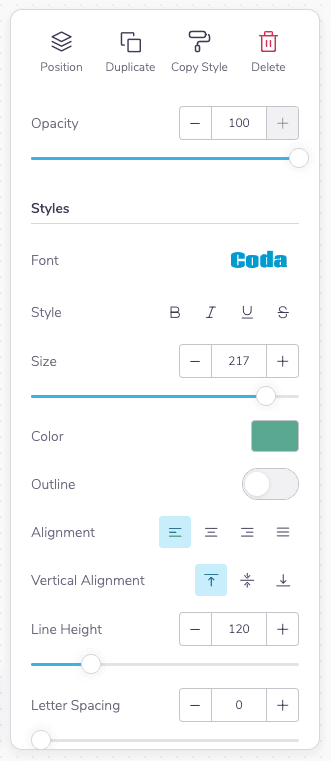
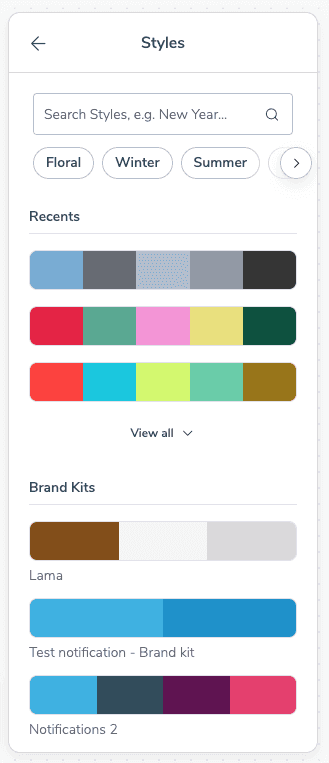
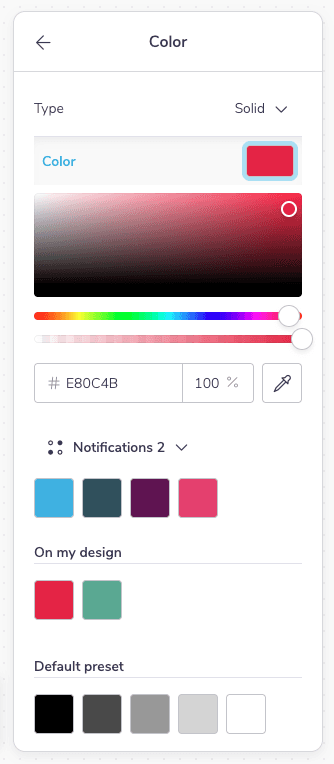
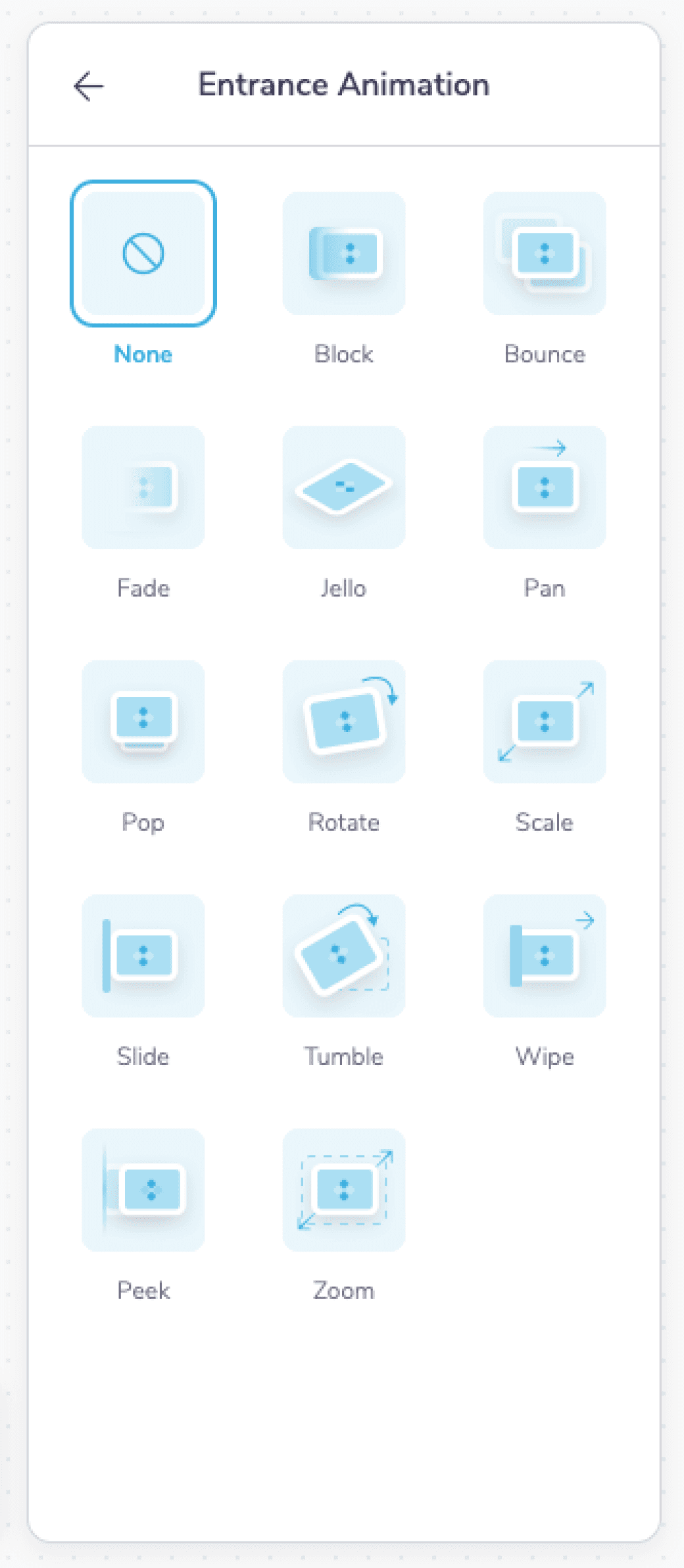
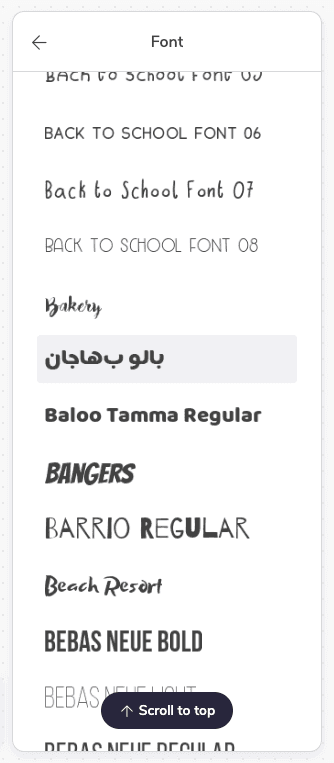
We have significantly upgraded the font, color, style, and animation tools. Font management now features better previews, search, and weight visibility, while the color picker offers simpler selection and enhanced brand presets.
On Canvas Controls & Timeline Tweaks
On Canvas Controls & Timeline Tweaks
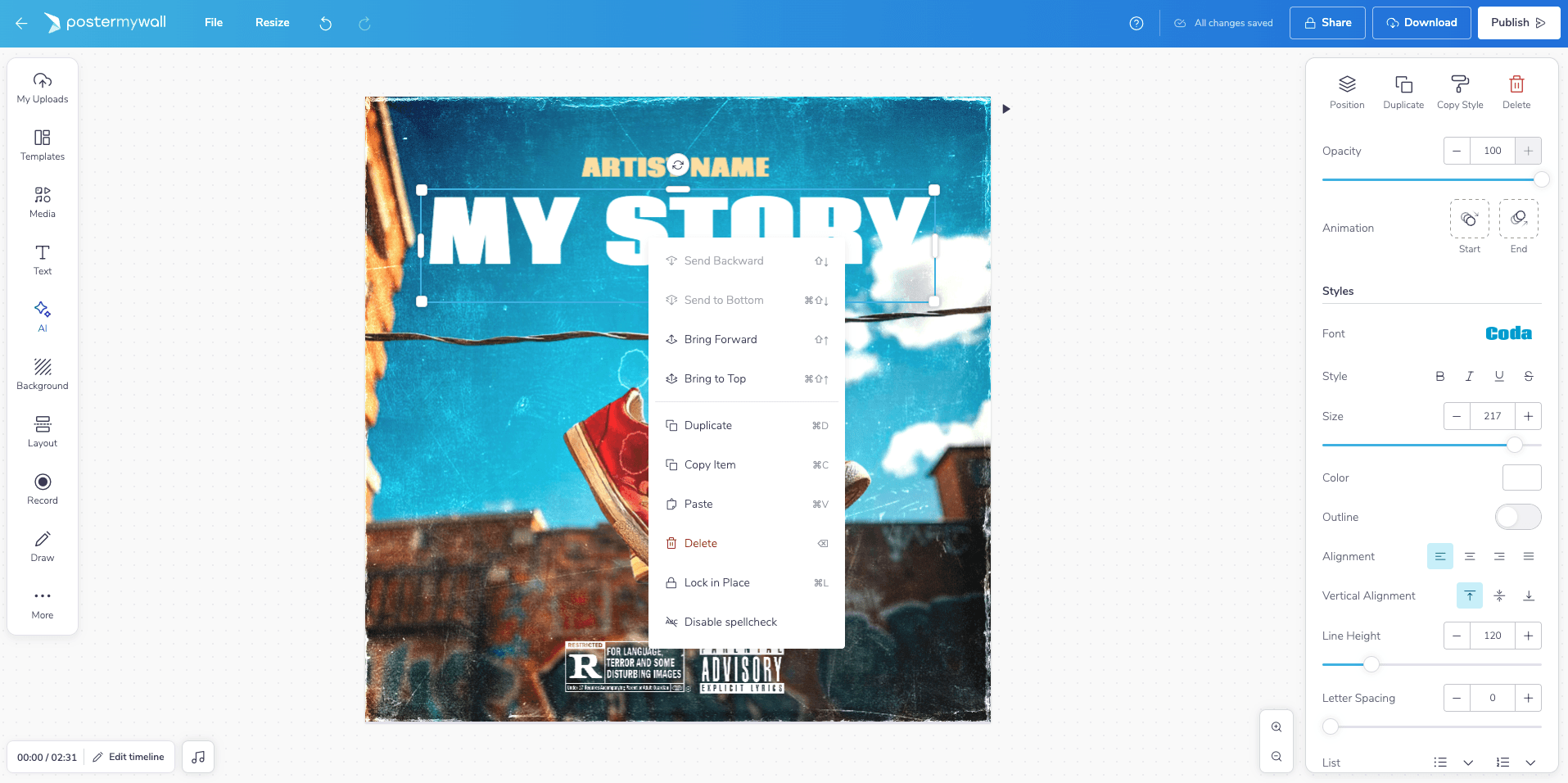
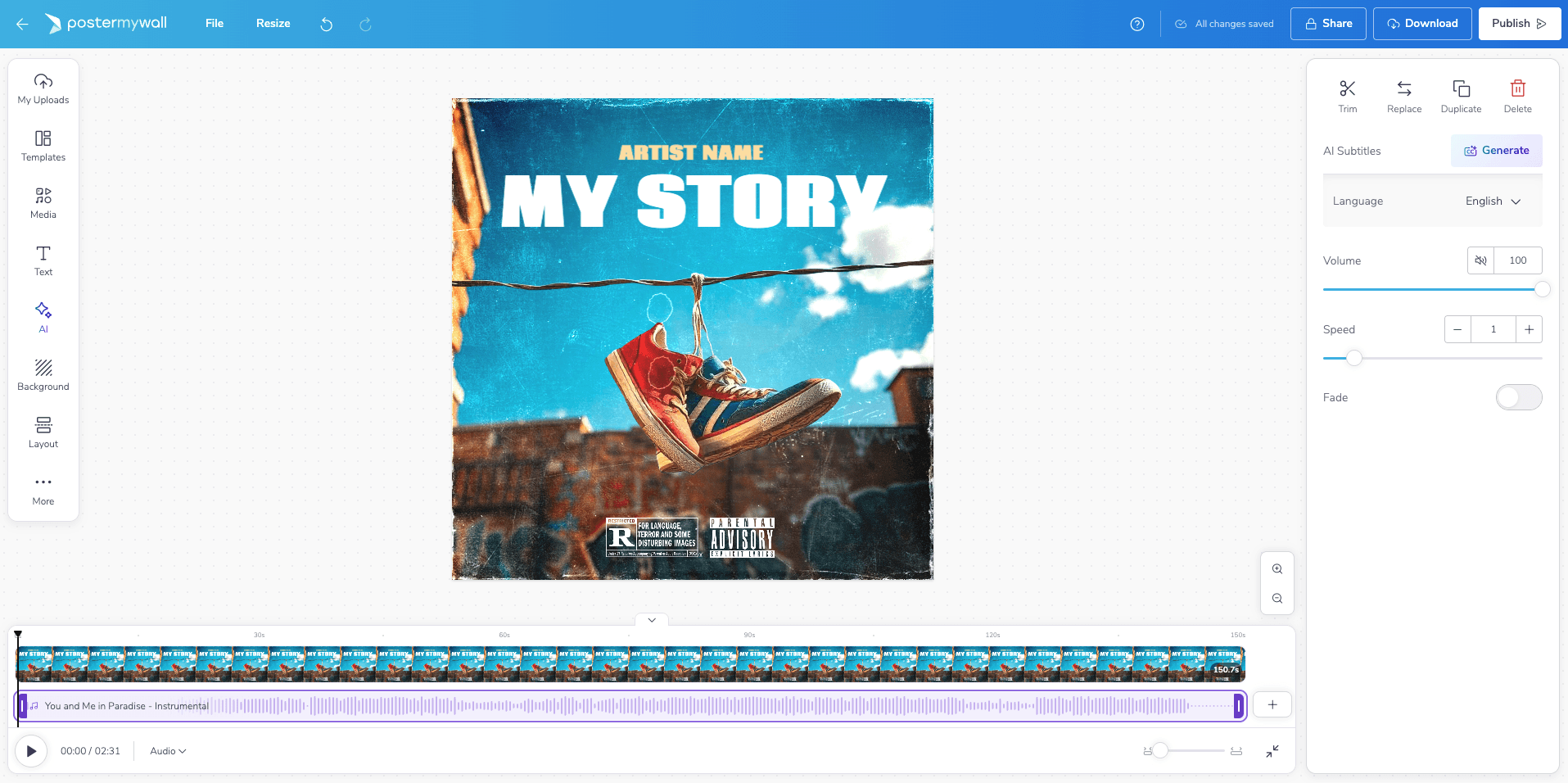
The canvas now features direct cropping, masking, and image replacement tools, along with an enhanced right-click menu with layers. The timeline has been improved for better item visibility and usability, with a comprehensive overhaul planned for the future.
Publish, Download, Share & Misc.
Publish, Download, Share & Misc.
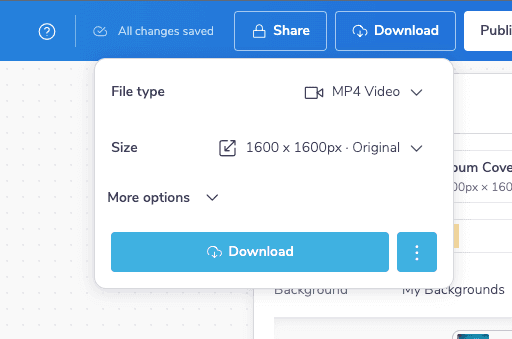
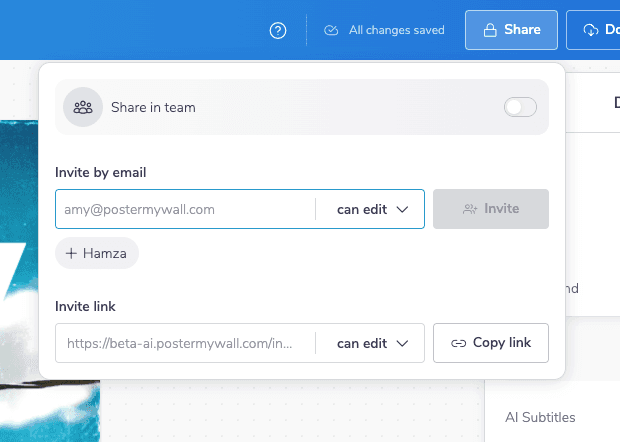
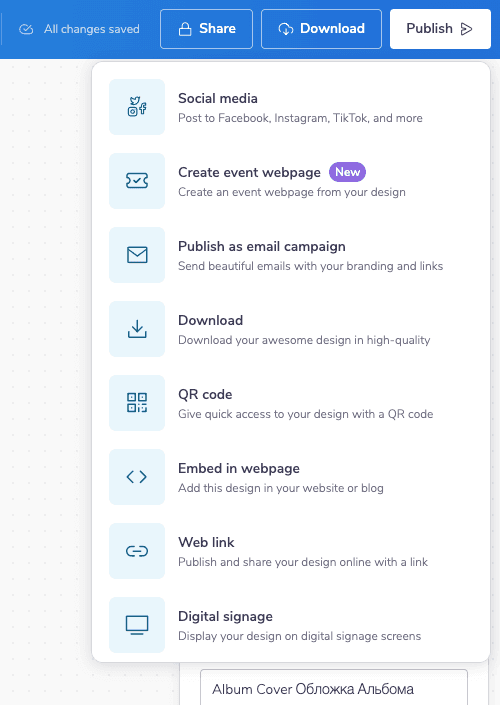
Disruptive publish and download modals have been replaced with dropdowns, now featuring QR generation and quick-creation shortcuts. The download flow includes custom sizing and surfaces relevant features like multi-page support. Main menus for uploads and media have also been demodalified for a smoother workflow.
Version History, Resize & Misc. Updates
Version History, Resize & Misc. Updates
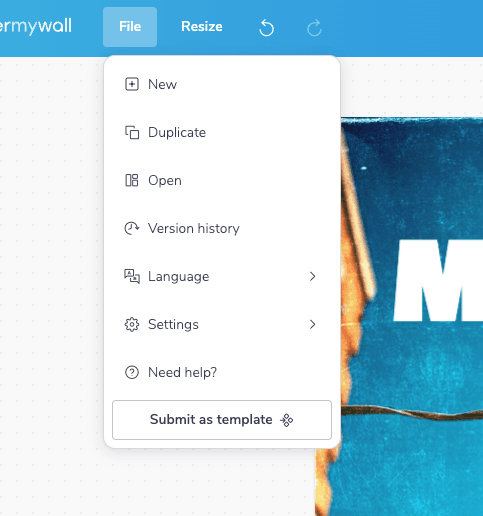
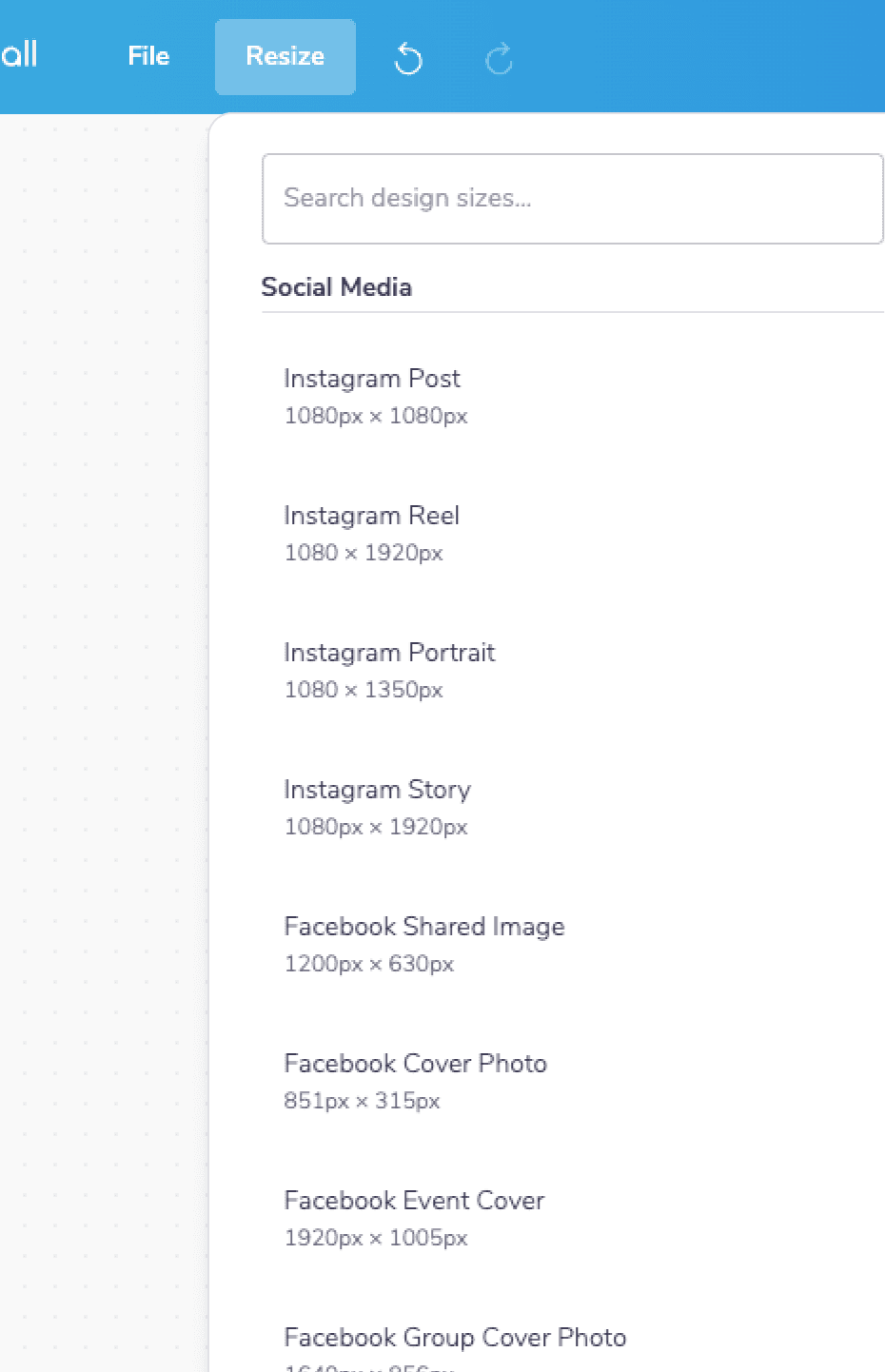
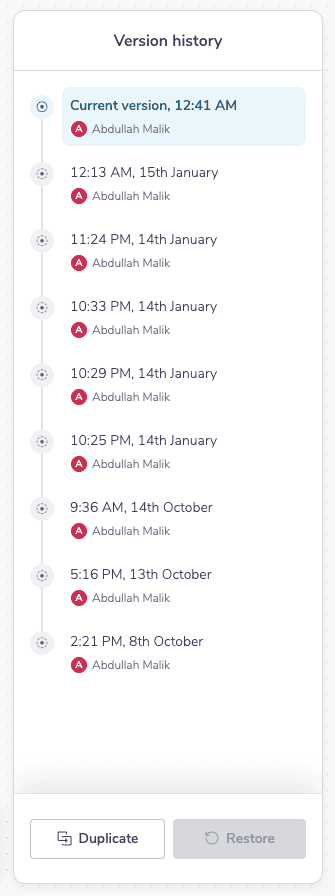
Core workflows have been streamlined by replacing disruptive modals with integrated drop-downs. The share, resize, and file menus are now simpler and faster, featuring visual thumbnails, better search, and team-sharing options. A version history feature has been added, and the auto-save indicator is now a clean icon.
Overall Impact & What’s Next
Overall Impact & What’s Next
Together, these enhancements have transformed the editor from a functional tool into an intuitive space. The upgrades now in production, including the redesigned download and share flows, modernized menus, and powerful new features like one-click styling and multi-page support have already made a significant impact.
Since their release, users have completed designs 15% faster on average. With the remaining beta features progressing toward release, this marks a significant milestone, however it is not the final destination. The positive response and measurable improvements fuel our dedication to continuous evolution, ensuring the editor grows more intuitive and powerful with each new day.
Hi 👋🏼. Thank you for your time.
Hi 👋🏼. Thank you for your time.
Intuitive menus & enhancements
Intuitive menus & enhancements
Intuitive menus & enhancements
Apr 2025
-
Oct 2025
Lead Designer
Me, Hashir, Khadija & Zohaib
In a nutshell
In a nutshell
The design editor is the core of our platform, relied on by ~10M monthly active users. Yet its key menus have long been a bottleneck. Styling and editing are slowed down by confusing layouts and low discoverability, while downloading and publishing lack clarity.
We have executed a deep, focused UX overhaul to resolve these issues. The highly positive beta feedback signals we are successfully turning this historic friction into seamless flow.
A deeper look
A deeper look
Table of contents
Table of contents
Table of contents
📱
Context
Context
Context
Users, Design Editor & Opportunity Areas
🦅
Solutions
Solutions
Solutions
Iterations, Testing & Final Designs
🌳
Outcome
Outcome
Outcome
Overall Impact & Incremental Launch
Context
Users, Design Editor & Opportuny Areas
Users, Design Editor & Opportuny Areas
Who is using PosterMyWall?
Small business owners (primarily), non-profits, agencies, musicians and then some - Let’s take Clark Musser, a District Deputy Coordinator for the Knights of Columbus in Colorado. He oversees 41 deputies and handles all social media design. “I live in the editor,” he says. “Sundays are my setup time to prep everything for the week. The design part just clicks for me.”
While he loves the intuitive editor for templates and brand kits, his workflow on desktop is sometimes slowed by lagging menus or missing options. Even so, it remains his essential tool for creating professional graphics that align perfectly with the trusted brand of the Knights of Columbus.
Clark has given consent to be featured in case studies & promotional content.
Opportunity areas in the design editor
The desktop editor suffers from jarring usability issues that hide essential options and make editing slow. Workflow is constantly disrupted by intrusive modal windows for basic tasks. Key styling and organizational tools are buried or inefficient, while on-canvas controls remain cumbersome. This creates a disjointed and frustrating experience that hinders the design process.
Solutions
Iterations, Testing & Final Designs
Iterations, Testing & Final Designs
Given all these foundational constraints, the updates focus majorly on five key areas: menu optimization, styling experience, canvas editing, publishing & misc. workflow improvements.
Each iteration has been critiqued based on UX principles, emotional feel, and thorough testing with small biz owners, educators, non-profits & marketing agencies to define a preferred direction.
Contextual Menu Optimization
Contextual Menu Optimization
We have enhanced the editor with organized menus based on usage. Interaction is now more intuitive through in-place editing, improved feedback, and streamlined style application. Essential controls are surfaced clearly, reducing clicks and simplifying the workflow.
Colors, Fonts, Styles & Animations
Colors, Fonts, Styles & Animations
We have significantly upgraded the font, color, style, and animation tools. Font management now features better previews, search, and weight visibility, while the color picker offers simpler selection and enhanced brand presets.
On Canvas Controls & Timeline Tweaks
On Canvas Controls & Timeline Tweaks
The canvas now features direct cropping, masking, and image replacement tools, along with an enhanced right-click menu with layers. The timeline has been improved for better item visibility and usability, with a comprehensive overhaul planned for the future.
Publish, Download, Share & Misc.
Publish, Download, Share & Misc.
Disruptive publish and download modals have been replaced with dropdowns, now featuring QR generation and quick-creation shortcuts. The download flow includes custom sizing and surfaces relevant features like multi-page support. Main menus for uploads and media have also been demodalified for a smoother workflow.
Version History, Resize & Misc. Updates
Version History, Resize & Misc. Updates
Core workflows have been streamlined by replacing disruptive modals with integrated drop-downs. The share, resize, and file menus are now simpler and faster, featuring visual thumbnails, better search, and team-sharing options. A version history feature has been added, and the auto-save indicator is now a clean icon.
Overall Impact & What’s Next
Overall Impact & What’s Next
Together, these enhancements have transformed the editor from a functional tool into an intuitive space. The upgrades now in production, including the redesigned download and share flows, modernized menus, and powerful new features like one-click styling and multi-page support have already made a significant impact.
Since their release, users have completed designs 15% faster on average. With the remaining beta features progressing toward release, this marks a significant milestone, however it is not the final destination. The positive response and measurable improvements fuel our dedication to continuous evolution, ensuring the editor grows more intuitive and powerful with each new day.
Hi 👋🏼. Thank you for your time.
Hi 👋🏼. Thank you for your time.
Intuitive menus & enhancements
Intuitive menus & enhancements
Intuitive menus & enhancements
Apr 2025
-
Oct 2025
Lead Designer
Me, Hashir, Khadija & Zohaib
In a nutshell
In a nutshell
The design editor is the core of our platform, relied on by ~10M monthly active users. Yet its key menus have long been a bottleneck. Styling and editing are slowed down by confusing layouts and low discoverability, while downloading and publishing lack clarity.
We have executed a deep, focused UX overhaul to resolve these issues. The highly positive beta feedback signals we are successfully turning this historic friction into seamless flow.
A deeper look
A deeper look
Table of contents
Table of contents
Table of contents
📱
Context
Context
Context
Users, Design Editor & Opportunity Areas
🦅
Solutions
Solutions
Solutions
Iterations, Testing & Final Designs
🌳
Outcome
Outcome
Outcome
Overall Impact & Incremental Launch
Context
Users, Design Editor & Opportuny Areas
Users, Design Editor & Opportuny Areas
Who is using PosterMyWall?
Small business owners (primarily), non-profits, agencies, musicians and then some - Let’s take Clark Musser, a District Deputy Coordinator for the Knights of Columbus in Colorado. He oversees 41 deputies and handles all social media design. “I live in the editor,” he says. “Sundays are my setup time to prep everything for the week. The design part just clicks for me.”
While he loves the intuitive editor for templates and brand kits, his workflow on desktop is sometimes slowed by lagging menus or missing options. Even so, it remains his essential tool for creating professional graphics that align perfectly with the trusted brand of the Knights of Columbus.
Clark has given consent to be featured in case studies & promotional content.
Opportunity areas in the design editor
The desktop editor suffers from jarring usability issues that hide essential options and make editing slow. Workflow is constantly disrupted by intrusive modal windows for basic tasks. Key styling and organizational tools are buried or inefficient, while on-canvas controls remain cumbersome. This creates a disjointed and frustrating experience that hinders the design process.
Solutions
Iterations, Testing & Final Designs
Iterations, Testing & Final Designs
Given all these foundational constraints, the updates focus majorly on five key areas: menu optimization, styling experience, canvas editing, publishing & misc. workflow improvements.
Each iteration has been critiqued based on UX principles, emotional feel, and thorough testing with small biz owners, educators, non-profits & marketing agencies to define a preferred direction.
Contextual Menu Optimization
Contextual Menu Optimization
We have enhanced the editor with organized menus based on usage. Interaction is now more intuitive through in-place editing, improved feedback, and streamlined style application. Essential controls are surfaced clearly, reducing clicks and simplifying the workflow.
Colors, Fonts, Styles & Animations
Colors, Fonts, Styles & Animations
We have significantly upgraded the font, color, style, and animation tools. Font management now features better previews, search, and weight visibility, while the color picker offers simpler selection and enhanced brand presets.
On Canvas Controls & Timeline Tweaks
On Canvas Controls & Timeline Tweaks
The canvas now features direct cropping, masking, and image replacement tools, along with an enhanced right-click menu with layers. The timeline has been improved for better item visibility and usability, with a comprehensive overhaul planned for the future.
Publish, Download, Share & Misc.
Publish, Download, Share & Misc.
Disruptive publish and download modals have been replaced with dropdowns, now featuring QR generation and quick-creation shortcuts. The download flow includes custom sizing and surfaces relevant features like multi-page support. Main menus for uploads and media have also been demodalified for a smoother workflow.
Version History, Resize & Misc. Updates
Version History, Resize & Misc. Updates
Core workflows have been streamlined by replacing disruptive modals with integrated drop-downs. The share, resize, and file menus are now simpler and faster, featuring visual thumbnails, better search, and team-sharing options. A version history feature has been added, and the auto-save indicator is now a clean icon.
Overall Impact & What’s Next
Overall Impact & What’s Next
Together, these enhancements have transformed the editor from a functional tool into an intuitive space. The upgrades now in production, including the redesigned download and share flows, modernized menus, and powerful new features like one-click styling and multi-page support have already made a significant impact.
Since their release, users have completed designs 15% faster on average. With the remaining beta features progressing toward release, this marks a significant milestone, however it is not the final destination. The positive response and measurable improvements fuel our dedication to continuous evolution, ensuring the editor grows more intuitive and powerful with each new day.
Hi 👋🏼. Thank you for your time.
Hi 👋🏼. Thank you for your time.